PEOPLE: Pop Culture & Puzzles
- 4.6
- Rating
- 100.00K
- Installs
- Free
- Price

 Analysis by App-foxy
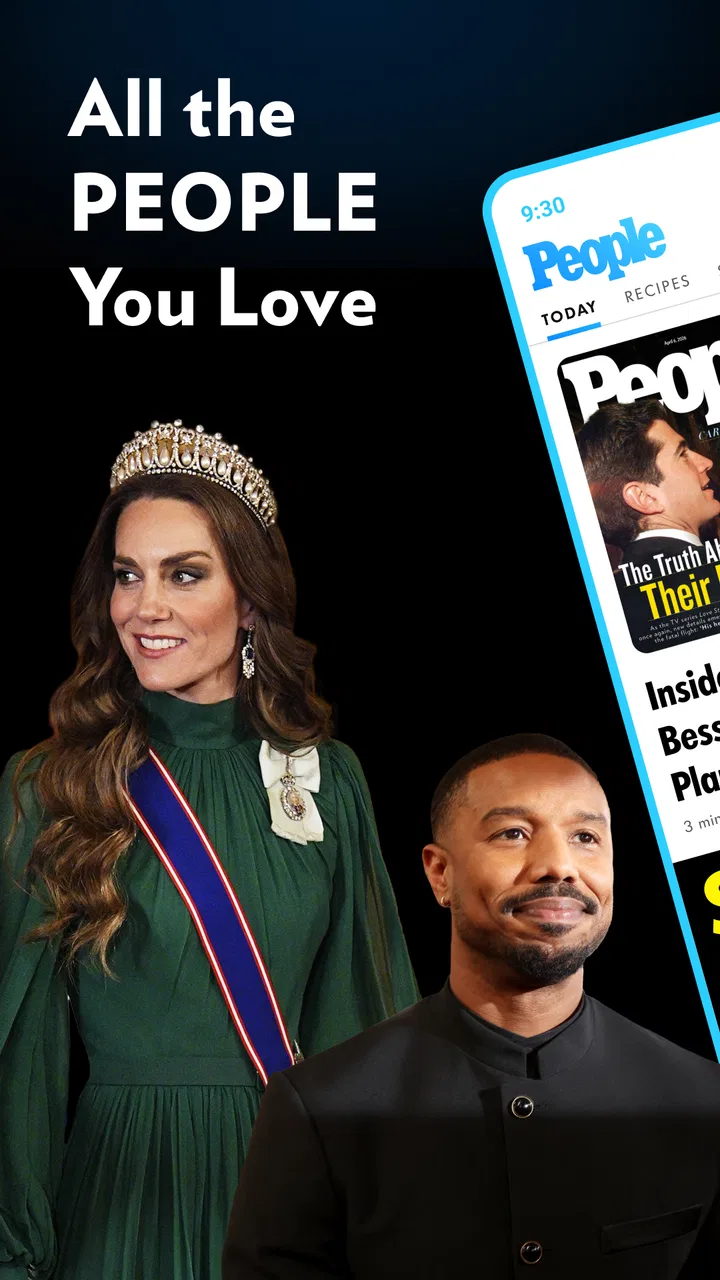
I approached PEOPLE: Pop Culture & Puzzles as a quick entertainment companion rather than a full news replacement. It brings celebrity coverage, entertainment stories, true crime, pop-culture puzzles, and daily games into one mobile app, which makes it easy to dip into when I have a few spare minutes. The experience is most appealing when I want a mixture of reading and light interaction instead of opening several separate apps.
That combination also explains the app’s limits. It is not designed to be a broad general-news reader, a serious research tool, or a dedicated puzzle platform with deep customization. I found its value in the way it packages familiar PEOPLE-style subjects into a compact routine: check a few stories, try a puzzle, and leave without needing a long session. If that sounds like the kind of casual habit you want, the app is easy to understand. If you prefer highly personalized news feeds or demanding games, you may find it narrow.
What the app feels like in everyday use
The app comes from Dotdash Meredith Inc. and sits in the News & Magazines category, although its personality is more entertainment-focused than a traditional newspaper app. The emphasis is on recognizable public figures, celebrity developments, popular culture, and true crime. The addition of crosswords and daily games gives the reading experience a useful change of pace.
You May Also Like

 Blood Strike: 2.5 Anniversary
Blood Strike’s Loadouts Turn Every Drop Into a Tactical Gamble
A close look at Blood Strike’s custom loadouts: how fast access to signature weapons reshapes its battle royale rhythm, rewards preparation, and narrows the gap between fights.

 Pandora - Music & Podcasts
Pandora’s Music Is Easy to Start, but Harder to Recover
Pandora’s strength is its low-effort path from a seed to a station. Its weak spot is how much confidence it asks you to place in connection, setup, and quiet recovery.

 8 Ball Pool
 Is Built on Rivalries, Rematches, and Routine
A close look at the rivalries, rematches, shared routines, and unanswered safety questions that turn a quick pool match into a persistent mobile community.

 Samsung Music
’s Quiet Strength Is Playing What You Already Own
Its reach comes less from spectacle than from dependable access to a personal library. That simplicity is both the app’s strongest retention engine and its ceiling.

 AccuWeather: Weather Radar
AccuWeather Review: A Quick, Clear Forecast for Everyday Decisions
For everyday plans, the best forecast is the one you can understand quickly. AccuWeather makes rain timing, radar, and local conditions easy to act on, with a few trade-offs.

 Hill Climb Racing
Why Hill Climb Racing Still Turns Crashes Into One More Run
A tiny car, a bumpy hill and one more upgrade: Hill Climb Racing keeps resurfacing because its simple chaos makes every near-miss feel personal.
More From Our News Desk
View All News


My first impression was that the app works best as a short-break destination. I can imagine opening it while waiting for an appointment, during a commute, or at the end of the day when I want something lighter than serious headlines. A typical session might begin with a celebrity article, move to a true-crime story, and finish with a crossword. That sequence feels more natural here than it would in a standard news app.
The store summary describes the mix as celebrity and entertainment news, true crime, pop-culture crosswords, and daily games. In practice, that means the app is built around variety within a specific editorial world, not variety across every subject. I would not install it expecting politics, business reporting, local updates, or a complete morning briefing. I would install it if entertainment is already one of the sections I seek out first.
The app is free, which lowers the barrier to trying it. It carries a Teen content rating, so I would still treat it as an entertainment app for older children, teenagers, and adults rather than something intended for very young users. True-crime material and celebrity coverage can vary in tone, and parents should decide whether that mix suits a particular reader.
Its current version is 2.0.3, and the app requires iOS 11 or later. That makes checking the operating system worthwhile before installing on an older device. On a compatible phone, the basic proposition is straightforward: open the app, browse the available entertainment material, and choose whether you want to read or play.
Who will get the most from it
I think it is a good fit for someone who follows celebrity culture but does not want to maintain a separate collection of entertainment apps. It also suits readers who enjoy switching between articles and small daily challenges. The appeal is less about spending an hour immersed in one story and more about having several easy options in one place.
It may also work well for a reader who likes true crime but wants that interest alongside lighter pop-culture material. The two subjects create a noticeable change in mood, so I would not treat the app as a single-tone reading experience. That variety can be useful when I want something familiar and accessible, but it can also feel uneven if I am looking for a carefully focused publication.
I would suggest skipping it if your main goal is a powerful news-organizing system. A general news aggregator is likely better for combining many publications, following topics across different industries, or building a balanced daily briefing. Likewise, a dedicated crossword app will probably be the stronger choice for someone who cares about puzzle depth, archives, difficulty controls, or detailed progress tracking.
Getting through the first setup
The first step is simply to install the app on a supported device and open it with modest expectations. I would not begin by trying to understand every section at once. Instead, I would scan the initial screen for the clearest story or game entry and use that as an orientation point. The app makes more sense after one complete read or puzzle than after several minutes of passive browsing.
A useful first-session habit is to decide what kind of visit I want before tapping around. If I have two minutes, I would look for a short entertainment update or a daily game. If I have longer, I would choose a true-crime article or explore several pop-culture topics. This small decision prevents the app from becoming a stream of random taps and helps me judge whether its mix fits my routine.
I would also pay attention to the difference between reading content and interactive content. A story is a sit-back activity, while a crossword or daily game asks for a little more concentration. Treating those as separate paths makes the interface feel less confusing, especially during the first opening when several entertainment choices may compete for attention.
Because the app is free, there is no purchase decision blocking the first trial. That is helpful for users who are unsure whether the PEOPLE editorial style suits them. I would use the first few sessions to evaluate the balance: am I returning for the stories, the puzzles, or simply because the subject matter is easy to browse? The answer tells me whether this should become a regular app or remain an occasional install.
Finding a first meaningful success
For a first-time user, the most reassuring path is to complete one small action rather than browse endlessly. I would open a story that genuinely interests me, read enough to understand the article’s angle, and then move to one puzzle or daily game. That creates a clear test of the app’s two main modes without requiring a large time commitment.
The first successful action does not need to be finishing a difficult puzzle. It can be finding a celebrity story I would otherwise have missed, learning something from a true-crime article, or completing a short game during a break. The important point is to leave the first session with a reason to return. If the app feels useful only while I am searching for something to do, it may not earn a permanent place on my phone.
I found that the puzzle side is especially useful as a reset between articles. Reading several celebrity stories in succession can become repetitive, while a crossword or daily challenge changes the pace and gives the visit a small goal. This is one of the app’s more practical strengths: it does not force entertainment reading and casual play into completely separate routines.
A realistic example would be a lunch break. I might open the app, read one current pop-culture piece, switch to a true-crime article if I want something more substantial, and then use the daily game as a clean stopping point. That workflow is more satisfying than scrolling through headlines without direction because it gives the session a beginning, middle, and end.
Where new users may become confused
The biggest possible confusion is assuming that the app is a complete news service simply because it belongs to News & Magazines. Its focus is much narrower. The app is centered on PEOPLE’s entertainment identity, so readers who expect broad coverage should adjust their expectations immediately. I see that specialization as a feature for the right audience, but it is a limitation for anyone seeking an all-purpose news home screen.
Another point to keep in mind is the difference between current reading and evergreen entertainment interest. Celebrity news can be useful when I want to follow a developing conversation, while true crime and puzzles may remain appealing even when I am not tracking a particular news cycle. I would not judge the whole app based on a single visit; its usefulness depends on whether at least one of those content types matches my mood.
The mixture can also create a tonal jump. Moving from a light celebrity item to a serious true-crime story is not always what I want, especially late at night. I recommend choosing deliberately rather than opening the first item presented. That simple habit makes the app feel more comfortable and avoids treating every section as if it served the same emotional purpose.
The games deserve realistic expectations too. They are a welcome part of the package, but I would not replace a dedicated puzzle collection with this app unless the available daily challenges already satisfy me. Someone who wants long sessions, advanced difficulty options, or a large archive should compare it with specialist puzzle software. Here, the games make the news app more engaging; they do not necessarily turn it into a full gaming destination.
The average rating is 3.5 from around 271 ratings, with about 115 written reviews. I read that as a sign to approach the app with balanced expectations rather than assuming it will suit everyone. The rating is not a reason to dismiss it, but it does support my view that the combination of content and casual games will appeal strongly to some users and only moderately to others.
How it compares with familiar alternatives
Compared with a general news aggregator, this app feels more curated around entertainment and less useful for building a complete information diet. A news aggregator wins when I want politics, science, finance, local reporting, and international coverage together. PEOPLE wins when I want celebrity and pop-culture material without sorting through unrelated sections.
Compared with a social media feed, the app offers a more intentional destination. Social platforms can surface entertainment stories quickly, but they also bring comments, unrelated recommendations, and constant distractions. I prefer this app when I want to read or play without entering a much larger social environment. The trade-off is that social feeds may offer more immediate discussion and a wider range of viewpoints.
Compared with a dedicated entertainment publication, the strongest difference is the built-in puzzle and daily-game element. A specialist publication may provide a deeper editorial experience in one area, while this app gives me a compact blend. I would choose the app for convenience and variety, not automatically for the deepest reporting on every celebrity or true-crime subject.
Compared with a dedicated crossword app, the choice depends on what I want from the puzzle. If I want a quick activity attached to an entertainment visit, the PEOPLE app is convenient. If puzzles are my main hobby, a specialist app is likely a better long-term home because it can be designed around solving rather than browsing.
Small habits that make the app more useful
My first tip is to use a two-stage visit: read one item, then play one game. This prevents the app from turning into an endless scroll and gives me a repeatable routine. It also reveals quickly whether I value the editorial content, the interactive content, or the combination of both.
My second tip is to separate subject choice from time available. On a short break, I would choose a quick game or a focused entertainment item. With more time, I would explore true crime or move between several pop-culture stories. This is more effective than opening the app without a plan and then leaving because the selection feels overwhelming.
My third tip is to judge the app over several different moods. It is easy to like the celebrity section when I am in the mood for light reading and then dislike the whole app when I want serious news. I get a fairer impression by trying the puzzles, entertainment coverage, and true-crime material separately. The app’s value comes from the blend, so one category should not decide everything.
A fourth useful trade-off is convenience versus specialization. Keeping reading and games together saves space and reduces switching, but it also means neither side may feel as deep as a dedicated alternative. I consider that a good exchange for casual users and a poor one for enthusiasts who already know exactly what they want.
Who should install it, and who should pass
I would recommend it to a first-time user who wants free access to celebrity and entertainment reading with true crime, pop-culture crosswords, and daily games nearby. It is particularly suitable for short sessions, informal browsing, and people who enjoy ending a reading visit with a small challenge.
I would be more cautious about recommending it to someone who wants a single app for all daily news. The entertainment focus is too specific for that role. I would also point serious puzzle fans toward a dedicated option if they care more about solving tools and depth than about having games alongside articles.
The Teen rating is another reason to choose thoughtfully. The app’s subjects are not all equally light, and true-crime coverage may not be comfortable for every reader. For adults and older teenagers who already enjoy this kind of material, that mix may be exactly the attraction. For younger children, I would choose a more age-focused reading and game experience.
My final take after using the full mix
The best way to understand PEOPLE: Pop Culture & Puzzles is as a focused entertainment break, not a universal newsstand. Its strength is the combination of celebrity and pop-culture reading with true crime and casual puzzles. That makes it more flexible than a plain article feed and more editorially focused than a general game collection.
I like the app most when I use it with a simple purpose: catch up on one entertainment subject, explore one story with more substance, or complete a daily game before moving on. The free price makes experimenting easy, and the 100K-plus install milestone shows that it has found an audience, even though the rating suggests a mixed experience overall.
My recommendation is straightforward. Install it if PEOPLE’s subject matter already interests you and you want reading plus light play in one place. Give it a few sessions rather than judging it from the opening screen, and use the two-part routine of one article followed by one game. Skip it if you need broad news coverage, highly personalized aggregation, or a serious crossword platform. For the right reader, it is a convenient, approachable way to turn a few spare minutes into a small entertainment ritual.
FAQs for PEOPLE: Pop Culture & Puzzles
01What is PEOPLE: Pop Culture & Puzzles?
PEOPLE: Pop Culture & Puzzles is a mobile game that combines the excitement of pop culture trivia with engaging puzzle challenges. Players can test their knowledge on a wide range of topics, from movies and music to celebrity news, while enjoying visually appealing puzzles that enhance the overall gaming experience.
02Is PEOPLE: Pop Culture & Puzzles free to play?
Yes, PEOPLE: Pop Culture & Puzzles is free to download and play. However, it offers in-app purchases for players who wish to enhance their gameplay experience. These purchases can range from additional hints to exclusive puzzle packs, designed to provide more fun and challenge to the players.
03What platforms is the game available on?
PEOPLE: Pop Culture & Puzzles is available on both Android and iOS platforms. You can download it from the Google Play Store for Android devices and the Apple App Store for iOS devices. Ensure your device meets the minimum system requirements for a smooth gaming experience.
04How often is new content added to the game?
The game developers regularly update PEOPLE: Pop Culture & Puzzles with new content to keep players engaged. This includes new trivia questions, puzzle challenges, and seasonal events. Updates are typically announced within the app or through notifications, ensuring players don’t miss out on fresh content.
05Can I play PEOPLE: Pop Culture & Puzzles offline?
PEOPLE: Pop Culture & Puzzles requires an internet connection to access full features, including syncing progress and participating in events. However, some basic gameplay elements may be available offline. For the best experience, it’s recommended to play while connected to the internet.
Pros
- Engaging pop culture trivia.
- Daily challenges keep content fresh.
- Visually appealing interface.
- Easy to navigate and user-friendly.
- Connects players through social features.
Cons
- In-app ads can be disruptive.
- Limited offline play options.
- Some puzzles are too repetitive.
- Occasional lag in older devices.
- Requires constant internet connection.

PEOPLE: Pop Culture & Puzzles
Gallery